

The Growing Fire Risk Every IT Department Must Understand
Lithium-ion batteries represent a rapidly growing fire-risk for IT departments and asset disposal programs. For example, one large U.S. city noted a 53% jump in structural fires tied to these batteries in just a year. Over one recent five-year span, federal data recorded 25,000+ events of overheating or fire involving lithium batteries. Given that many IT assets like laptops, tablets and servers use lithium-ion technology, damaged or mishandled units can present a major hazard. It’s not just about data destruction — it’s about risk-mitigation and fire prevention.
How to Safely Handle, Identify, Store, and Prepare Batteries in Laptops, Tablets, Phones, and Loose Devices
(Includes Data Recycling guidelines for customers)
Lithium-ion batteries power nearly every piece of equipment managed by IT teams: laptops, Chromebooks, tablets, phones, scanners, radios, UPS units, and more. When handled properly, they are safe and reliable. When mishandled, they can cause fires, injuries, property damage, data loss, and hazardous-material violations.
This guide provides industry-standard recommendations for battery safety, handling, and preparation in IT environments.
Sections labeled “For Data Recycling Customers” clarify how batteries should be prepared when sending equipment to Data Recycling of New England.
1. General Best Practices for IT Departments
Why Healthy Batteries May Be Removed — and Why Swollen Batteries Should Not
IT staff often replace laptop or tablet batteries during normal maintenance, and it is safe to remove a healthy, non-swollen battery using proper tools.
However, when preparing equipment for recycling:
-
Healthy batteries should generally be left installed in the device.
The device casing protects terminals, reduces transport risk, and simplifies preparation. -
Swollen or damaged batteries must never be removed.
Attempting removal can puncture or flex the cell, instantly triggering thermal runaway.
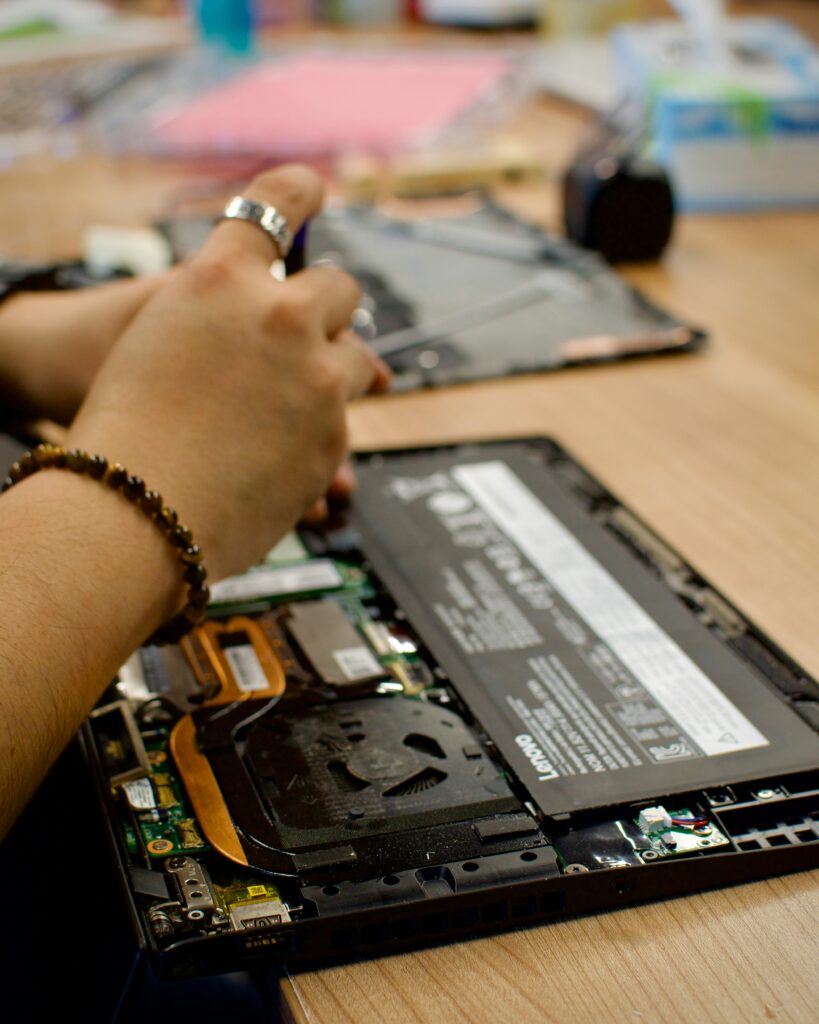
If a swollen battery is discovered:
-
Leave the battery inside the device
-
Power the device off
-
Isolate the entire device using a fire-safe method
For Data Recycling customers:
We strongly recommend routing swollen or damaged batteries through Call2Recycle’s DDR (Damaged, Defective, Recalled) program whenever possible.
If that is not feasible, contact us before your pickup so we can determine safe handling. Data Recycling can manage these items when necessary, but they require specialized containment and advance notice.
2. Identifying Swollen or Dangerous Batteries
IT personnel should be trained to identify swelling before packaging or palletizing equipment.
Common signs of swelling include:
-
Bottom panel of a laptop bulging or not sitting flush
-
Trackpad lifting or binding
-
Screen separating from the frame
-
Device rocking on a flat surface
-
Clicking or cracking noises when the device is lifted
-
Noticeable chemical scent
-
Device running warm even while powered off
Any device displaying these symptoms should be treated as hazardous.
3. Why IT Staff Should Not Attempt to Remove a Swollen Battery
Removing a swollen battery poses significant dangers. IT departments should not attempt removal under any circumstances.
Key reasons:
Lithium-ion battery fires are extremely difficult to extinguish
Swollen batteries are at risk of thermal runaway. Once ignited, a lithium fire may require:
-
A Class D fire extinguisher, or
-
A specialized extinguishing material such as CellBlockEX
ABC extinguishers and water are not sufficient and may worsen the situation.
High risk of injury
Swollen lithium batteries can release:
-
Toxic gases
-
High temperatures
-
Chemical vapors
-
Sparks or flames
Attempting to pry, lift, or flex a swollen battery can cause immediate ignition.
Puncture risk
Even minor pressure on a swollen cell can puncture internal layers, instantly triggering thermal runaway.
Professional removal requires specialized tools
Professionals typically use:
-
Adhesive softeners
-
Anti-static pry tools
-
Fire-resistant trays
-
Ventilated safety cabinets
-
Personal protective equipment
-
Specialized containers for DDR (Damaged, Defective, Recalled) batteries
IT departments are not expected or equipped to perform safe swollen-battery removal.
4. What To Do When a Swollen Battery Is Found
Every organization should follow these universal steps:
1. Power the device off immediately.
2. Do NOT attempt to remove the swollen battery.
Puncturing or bending a swelling cell can immediately trigger thermal runaway. Removal should only be performed by trained professionals with proper tools and PPE.
3. Place the entire device in a fire-resistant container.
Suitable options:
-
Steel drum or metal pail with a fire-resistant liner
(Most common industry method) -
Fire-resistant steel battery cabinet
(Used in schools and IT facilities) -
Bucket/bin filled with CellBlockEX
-
Non-metal container filled with dry sand or vermiculite
-
Ceramic container
(Ceramic withstands high heat better than glass)
Never place a swollen battery directly into a bare metal, plastic, or cardboard container. Always use a non-conductive liner (such as a fire-resistant bag or pail liner) or fully surround the device with sand, vermiculite, or CellBlockEX to prevent shifting or accidental contact during storage or movement.
If you do not have a suppressant like CellBlockEX, cover the device with several inches of dry sand to isolate heat and sparks.
Sand does not extinguish a lithium fire, but it reduces oxygen, slows heat transfer, and prevents flame spread if venting occurs.
4. Store the container in a temperature-controlled area between 50–70°F.
Heat is one of the biggest risk factors for battery failure.
Avoid storing near:
-
Sunlight
-
Vehicles
-
HVAC exhausts
-
Boiler rooms
-
Hot equipment racks
-
Windows or exterior walls in summer
5. Clearly label the container:
“Swollen Lithium-Ion Battery – Do Not Charge or Open.”
6. Contact a qualified battery recycler or damaged-battery program.
Do NOT include swollen or damaged batteries with standard e-waste or cardboard-box battery pickups.
Recommended program:
Call2Recycle – DDR (Damaged, Defective, Recalled) Battery Program
https://www.call2recycle.org/safety/damaged-defective-and-recalled-batteries/
This program follows NFPA, DOT, and PHMSA guidelines for hazardous battery transport.
5. Handling Loose Batteries
| Battery Type | Examples | Required Preparation | Notes |
|---|---|---|---|
| Lithium-Ion / Li-Poly (Rechargeable) | Laptop batteries, tablets, scanners | Tape terminals OR bag individually | Highest fire risk; store separately |
| Single-Use Lithium (CR123, coin cells, lithium AA) | Cameras, sensors, security devices | Tape terminals | Must not mix with other chemistries |
| NiMH / NiCd Rechargeables | Radios, tools | Tape if terminals exposed | More stable; main risk is shorting |
| Alkaline (AA, AAA, C, D) | Remote controls, keyboards | No tape required (except 9V) | Low hazard; can be stored together |
| 9-Volt (Any Chemistry) | Mics, AV equipment | ALWAYS tape terminals | High short-circuit risk due to exposed terminals |
6. Proper Storage in IT Workrooms and Equipment Closets
Best practices include:
-
Store all batteries in a cool, dry, temperature-controlled space
Ideal: 60–75°F (16–24°C) -
Keep swollen devices isolated from standard battery storage areas
-
Use a metal container only if batteries are individually bagged or if there is a fire-resistant liner.
-
Never store batteries:
-
On chargers
-
Near heat sources
-
In direct sunlight
-
On top of servers or UPS units
-
-
Separate Lithium from Alkaline to reduce cross-reaction issues
-
Avoid stacking boxes or placing batteries under heavy equipment
-
Keep emergency supplies nearby (Class D extinguisher, CellBlockEX, or sand)
Heat is one of the most dangerous factors for lithium stability. Exposure to elevated temperatures significantly increases fire risk and battery failure.
7. For Data Recycling Customers: How We Prefer Batteries Prepared
Leave batteries installed in the device
This is the safest and most compliant method for equipment sent to us.
Do not send swollen or leaking batteries in normal pickups
Swollen batteries must be routed through Call2Recycle or a hazmat program.
Loose lithium batteries
-
Tape terminals or bag individually
-
Notify us in advance if you have a large quantity
-
Disposal charges may vary depending on chemistry and condition
If your IT team already removed batteries
We recommend avoiding battery removal, but if already removed:
-
Isolate each battery
-
Tape terminals
-
Store in a fire-safe metal or ceramic container
-
Do not mix chemistries or include swollen cells
We are happy to help determine whether your batteries qualify for standard processing or need specialized handling.
8. Quick Reference Checklist for IT Departments
Do:
-
Leave batteries installed
-
Tape lithium terminals
-
Train staff to recognize swelling
-
Use fire-safe containment
-
Store devices in temperature-controlled areas
-
Use Call2Recycle for damaged or swollen batteries
Do Not:
-
Pry or bend swollen batteries
-
Mix lithium and alkaline
-
Charge a bulging device
-
Place swollen batteries in standard e-waste pickups
-
Expose battery storage to heat or direct sunlight
9. References and Authoritative Sources
FDNY – Lithium-ion battery fires rising 53% in one year: https://www.firerescue1.com/lithium-ion-battery-fires/fdny-sees-over-50-increase-in-structure-fires-due-to-li-ion-batteries/
U.S. CPSC – Over 25,000 lithium-battery overheating/fire incidents in five years: https://www.levinsimes.com/blog/lithium-ion-battery-fire-statistics/
Nationwide injury/fatality data (214 injuries, 38 deaths across 445 fires): https://www.senecainsurance.com/lithium-ion-battery-fires-on-the-rise-destroying-properties-taking-lives/
Approx. 2,000 lithium-ion battery fires per year in the U.S.; fire risk 14× higher than other chemistries: https://zipdo.co/lithium-battery-fire-statistics/
Washington State Dept. of Ecology – Guidance recommending sand for damaged battery containment: https://apps.ecology.wa.gov/publications/documents/2404043.pdf/
Irish EPA – Guidance supporting sand and vermiculite for small Li-ion battery fire control: https://www.epa.ie/publications/monitoring–assessment/waste/06792-EPA-Lithium-Ion-Battery-Guidance-Proof.pdf
Suppliers Partnership – Lithium-ion safety guidance for storage and handling: https://www.supplierspartnership.org/wp-content/uploads/2023/07/Suppliers-Partnership_EVSafetyGuidance_7.21.2023-FINAL.pdf
U.S. EPA – Lithium battery recycling & handling safety: https://www.epa.gov/recycle/used-lithium-ion-batteries/
Call2Recycle DDR (Damaged, Defective, Recalled) battery program: https://www.call2recycle.org/safety/damaged-defective-and-recalled-batteries/
Need Assistance?
If you are unsure how to classify, store, or prepare batteries or electronic devices:
Data Recycling of New England
info@datarecyclingne.com
(508) 822-2054
We are always available to help schools, businesses, and IT departments determine safe preparation procedures and proper recycling channels.